
Sourcing the hardware components
To make my project a reality, I need to design and acquire the hardware to enable running the navigation algorithms and not solely relying on publicly available sensor datasets. Here are my concerns:
Functional and non-functional requirements
Since the project is about developing a robot capable of navigating irregular environments either indoor or outdoor, I would like to build a robust mobile platform that is sturdy enough to traverse through slightly sloped terrain while also having enough capacity to mount two to three sensors. More specifically, my functional requirements are the following:
Functional requirements
Do
-
A wheeled robot, preferably with a differential drive, Ackerman sterring, or skid-steer configuration.
-
Traverse uneven terrain with slope less than 30 degrees while maintaining 2 ~ 4 m/s speed
-
Remote controllable
-
connected via WiFi but will migrate to cellular network
-
Equip with visual sensor. The effective range should starts from 10 cm and up
-
3D perception sensor, most likely a LiDAR sensor. Its effective range should sit between 1 m to 30 m.
-
Network connection device
-
Max budget: no single component should surpass US$ 500 (Oops…3D LiDAR you are an exception, just you alone!)
Don’t
- Not a legged robot (big doggo we will meet again, but not now…)
- Not preferring an omnidirectional drive layout
- Not a quadrotor or flying drone. (Mmm…this may be for my next robot project!)
- No manipulator on top
- Not a humanoid (yet)
- Not a submersible or marine robot
Non-functional requirements
Do
-
Should handle 2 kgs payload to navigate at least 1 hr
-
Should run several sensors simultaneously
-
Sturdy and quick-mounting housing for battery, dev kip, and sensors
-
Fit well to rover platform but is not irreversebly intrusive.
Don’t
-
Equip device for global positioning
-
No auto-charging connector
With the requirements in mind, I began surveying the available options in the market.
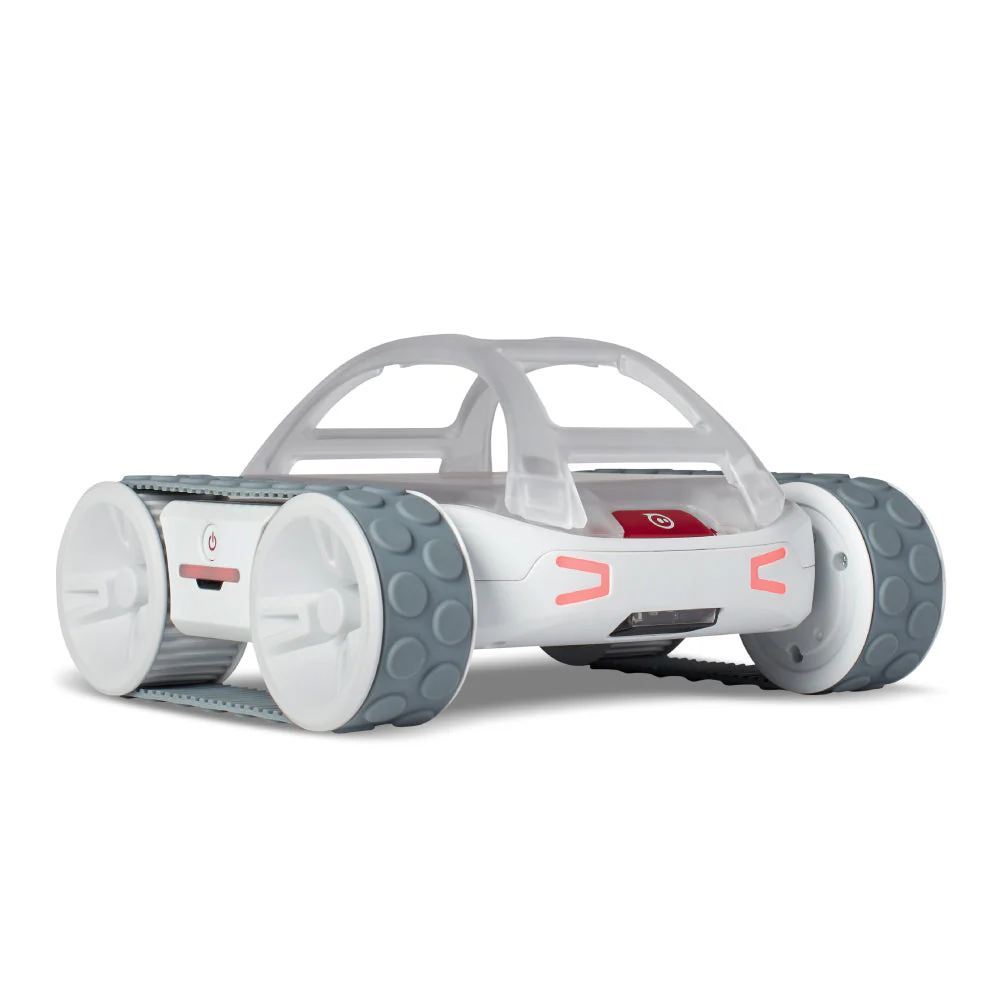
The robot body: Sphero RVR+
Source: https://sphero.com/products/rvr
At first of my investigation, I was attracted by the fully assembled mobile rover solutions such as the HIWONDER Jetson Nano Robot Voice Recognition Modeling SLAM Mapping/Navigation with 7In Touchscreen Robotic Car AI Vision Robotic Kit (Advanced Kit with SLAMTEC A1 Lidar) , XIAOR GEEK XR-SLAM Lidar Robot Car with HD Camera ROS Robot Tank Car 8400Mah 12V, or Yahboom’s Professional ROS Robotics Coding Kit with AI Functions and 3D Visual Mapping Navigation but after closer inspection, they all have factors that do not meet my expectations. As I want to build a robot running on 3D LiDAR, these solutions could never satisft my needs. I need to source my own components as I want to build a robot that runs on 3D LiDAR instead of a 2D one.
Hence, I came across Sphero RVR+, an educational rover robot for teenagers. Despite its intended users, the rover exhibits several factors that I find ideal. First, it is designed to allow the user to mount whatever components that accepts UART interface for control. More importantly, Sphero, the robot’s manufacturer, offers a Python Public SDK to allow the user to control the rover via signal commands, which in terms offer an endless possibility to the developer to create their own applications to have the rover to collaborate with other sensors. As a developr, I can save the effort to assemble the components and ensure that my robot is stable enough for the future challenges.
So with the connection-to-external development kit concern out of the way, I am also convinced that the payload capacity and the battery life can make it last long enough on a single sortie. This is the rover that I eventually enrolled in my project.
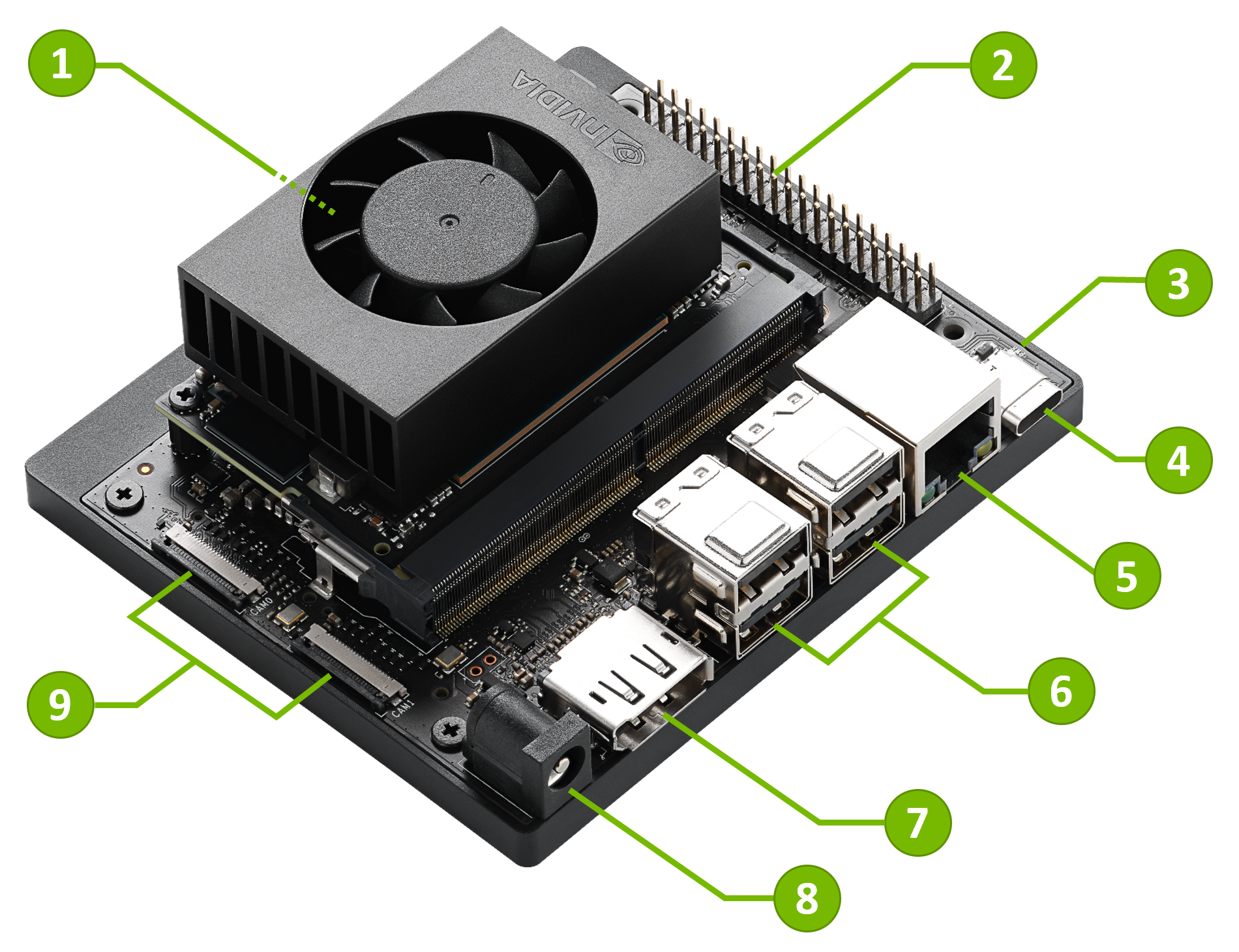
The brain: Jetson Orin Nano
Source: https://developer.nvidia.com/embeGtJXZzbfk1Added/learn/get-started-jetson-orin-nano-devkit
There are currently a couple of potential contenders in the market: Arduino, Raspberry Pi, and the Jetson series. I then gathered and tabulated their publicly available tech specs to evaluate:
| Development Kit | Wattage | Processing Units | GPU | Price (approx.) |
|---|---|---|---|---|
| Arduino Uno | 0.05W | 16 MHz ATmega328P (8-bit) | NA | $25 |
| Raspberry Pi 4 Model B | 3-7.5W | Quad-Core ARM Cortex-A72 (64-bit) | Broadcom VideoCore VI | $35 |
| Raspberry Pi 5 (8 Gb) | 2.7-15 W | Broadcom BCM2712 2.4GHz quad-core 64-bit Arm Cortex-A76 | Broadcom VideoCore VII | $80 |
| Jetson Nano | 5-10W | Quad-Core ARM Cortex-A57 | 128-core Maxwell GPU | $99 |
| Jetson TX2 | 7.5-15W | Dual-Core NVIDIA Denver 2 + Quad-Core ARM Cortex-A57 | 256-core NVIDIA Pascal GPU | $299 |
| Jetson Orin Nano | 5-15W | 6-core ARM Cortex-A78AE | 1024-core NVIDIA Ampere GPU | $199 |
| NVIDIA Jetson Orin Nano Super | 10-20W | 8-core ARM Cortex-A78AE | 1024-core NVIDIA Ampere GPU | $199 |
I selected the best candidate based on the following criteria:
- Wattage: 5 ~ 15W
- Provide GPU good enough to do basic machine learning algorithms especially for object detection and possibly SLAM
- Able to run Linux
- Budget: less or equal to US$ 300.00
In this table, Jetosn Orin Nano Super was not released yet at the time of the survey (Sept 2024). From the cost-performance point of view, and to provide a little more of computing power for future potential software applications, I chose Jetson Orin Nano after making sure that the Sphero RVR+ and other sensors’ SDKs can be executed on the development kit’s operating system. Another good thing about this dev kit is that it already has NVidia Issac ROS available to it, which makes it all the more strong candidate in terms of hardware and software eco-system support.
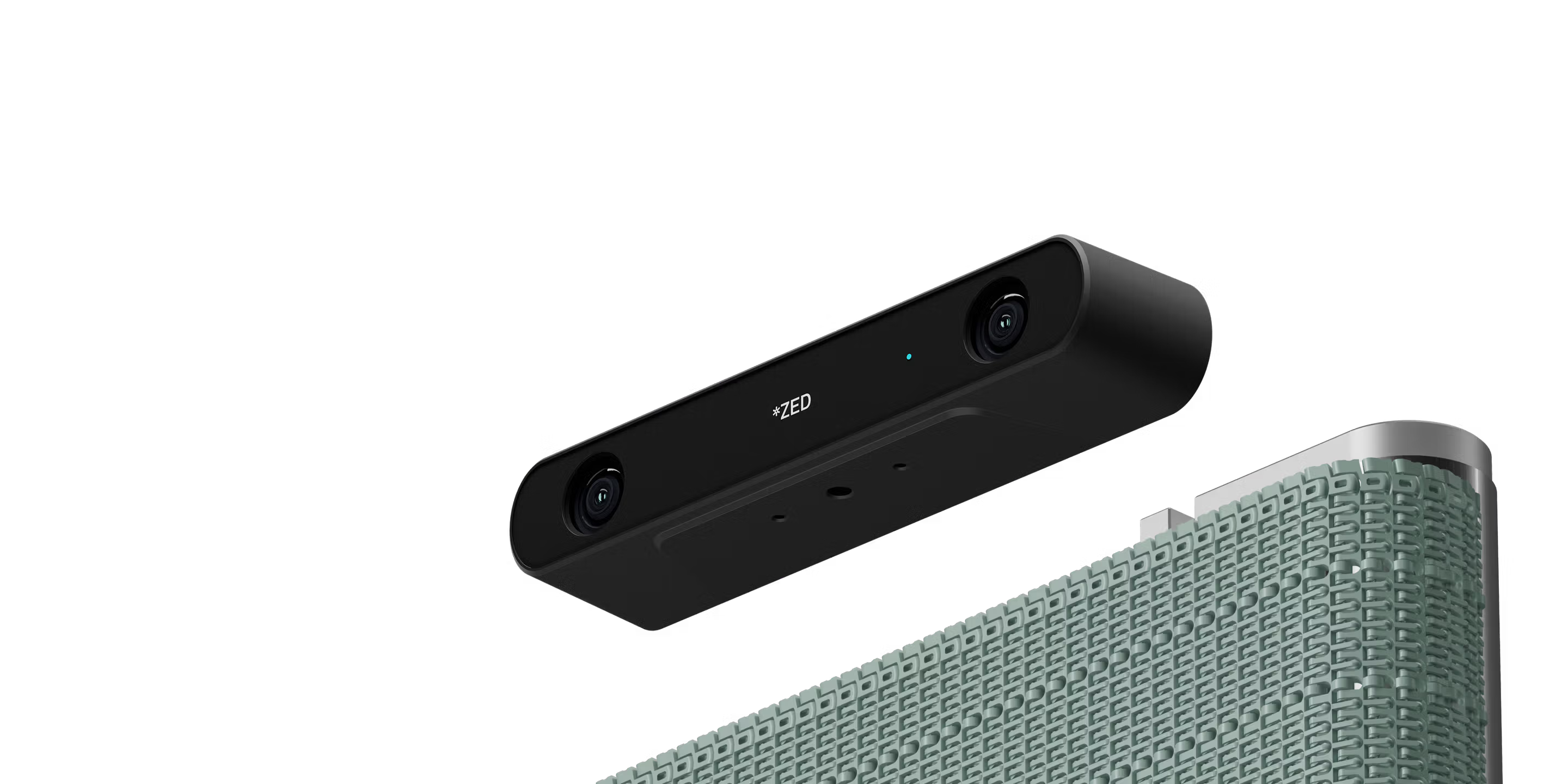
The eyes: ZED 2i
Source https://www.stereolabs.com/en-tw/products/zed-2
For this project, I also want to have a chance to work with cameras. These sensors show a couple of advantages that I believe is indispensible for a sound robot:
- Camera can perceive the reach features in the environment and is essential in pose estimation as well as environmental perception
- Camera is a mature product and there are an extensive application and studies based on this type of sensor on perception as well as pose estimation
- RGB-D or stereo cameras can compensate for the lack of depth in 2D camera models and there the state-o-the-art visual SLAM algorithms can already yied satisfying pose estimation results when used right.
I have not touched any depth camera since I graduated from college so I am particularly excited to learn what available products are currently in the market. I eventually selected the following candidates to compare based on their publicly released specs. I am also listing the acronyms so everyone can be on the same page.
| Acronym | Full Name |
|---|---|
| FoV | Field of View |
| FPS | Frames per second |
| RGB | Red-Green-Blue |
| IMU | Inertial measurement unit |
The comparison chart:
| Camera model | Astra Series | Intel RealSense D435i | StereoLab ZED2i | Intel Realsense D455 |
|---|---|---|---|---|
| Technology | Structured light | Stereo / rolling shutter | Stereo | Stereo / global shutter |
| Wavelength | 850 nm | NA | NA | NA |
| H FoV | 58.4 | 87 | 120 | 90 |
| V FoV | 45.5 | 58 | 61 | 65 |
| Minimum range | 0.4 | 0.28 | 0.3 | 0.52 |
| Max range | 8 | 3 | 12 | 6 |
| FPS | 30 | 30 | 15, 30, 60 | 30 |
| image dimensions | 640 x 480 | 1920 x 1080 | NA | 1280 x 800 |
| RGB Resolution | 1280 x 720 RGB (Astra Pro Plus) | 2MP | 1280 x 720 (1depth) | NA |
| Communication Interface | USB 2.0 power and data | USB-C | USB-C | USB-C |
| IMU | NA | IMU | Baroscope, IMU, Magnetometer | IMU |
| Price | $ 149,99 | $334 | $533 | $419 |
Note that the data above is retrieved on September 24, 2024. The price may differ to the latest one.
Out of the four candidates, I found StereoLab ZED2i particularly enticing, despite the fact that it is a stereo camera. Given the intrinsic shortcomings of the stereo-cameras, I believe that I can still live with the inconvenience while making the best use of this sensor: Reliable vision under day-light conditions or indoor scenarios while also perceiving RGB-D information at long range. And one important value that this sensor brings is that its manufacturing company - StereoLab has done a really grreat job of providing out-of-the-box SDK and ROS2 packages as well as an extensive and comprehensive documentation such that I don’t have to wrap my head around setting up the sensor from the get go. Kudos to the StereoLab team. One last point that I find product a top-notch choice is that it comes with built-in IMU, barometer, and magnetometer; it is like spending a little extra bucks to get a bundle of sensors instead of one.
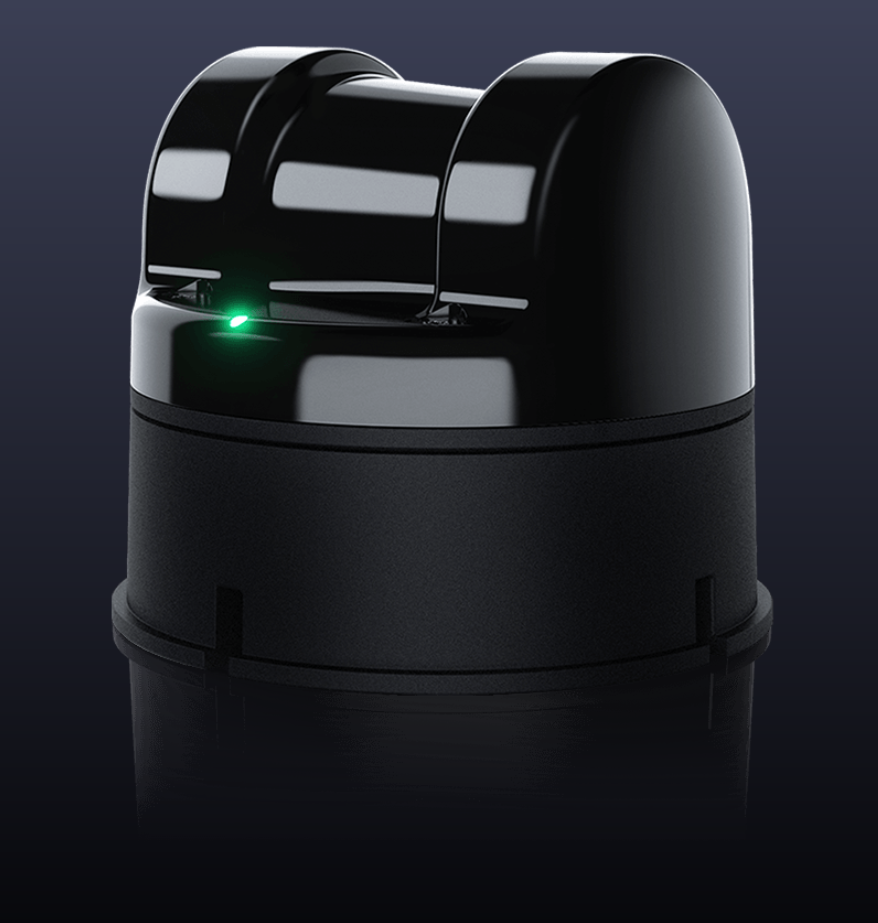
The depth perception: 3D LiDAR
Source: https://www.unitree.com/LiDAR
3D LiDAR is another sensor that I want to equip on my robot platform as I want to explore and better understand hands-on how this sensor can revolutionize the way the robot explore its environment. The advnatages of a 3D LiDAR to a depth camera is that it intrinsically provides crispy clear depth readings of its surrounding, on paper. The downside is that the price-tag of this sensor is still out of the budget of ordinary folks like you and myself. The possible options are limited in terms of the budget. You can either shop on the second hand market without guarantee of the received sensor’s quality and maintenance condition, or purchase a brand new one knowing that you must compromise on some of the technical restrictions as the LiDAR on the cheaper end may not bring the big guns to the table - broadcasting sparser point cloud, lower motor spin rate, or lower effective range. My compromise on the specs are the following:
- Within acceptable budget, i.e. within US$1,000.00
- Wattage: less or equal to 5W
- Weight: less or equal to 250 g
- 5 ~ 10 FPS
- 20 m effective range at 90% reflectivity
- 5 cm (0.05 m) minimum distance
After doing a few surveys, I decided to order a brand new 3D LiDAR from Unitree, the Unitree L1. The specs that enticed me are the following:
- FoV: $360^{\circ} \times 90^{\circ}$
- 5 cm (0.05 m) minimum range
- 10 m range at 90% reflectivity
- 230 g
- Compact size: 75 x 75 x 65 mm
- Cost: US$249.00
- Offers a ROS2 package of its driver
But the downside is also apparent after actually running it. I found the following:
- Scan pattern is pretty peculiar, not the one we are familiar with on most mechanical or semi-solid state LiDARs
- Yielding very sparse point cloud on every scan
- Despite the sensor’s mass being evenly distributed, the sensor still shakes violently. This phenomenon may become noticeable if the robot platform on which this sensor is installed is tilted while traversing uneven terrain.
There may be other issues that I may find out as I go in my develoopment, but the sensor is performing well for now. And with its peculiar scan pattern and sparse point cloud, a dedicated scan-matching algorithm most be adopted. This is an interesting topic that I will discuss in my future posts.
The heart: Omni 20C+ power bank
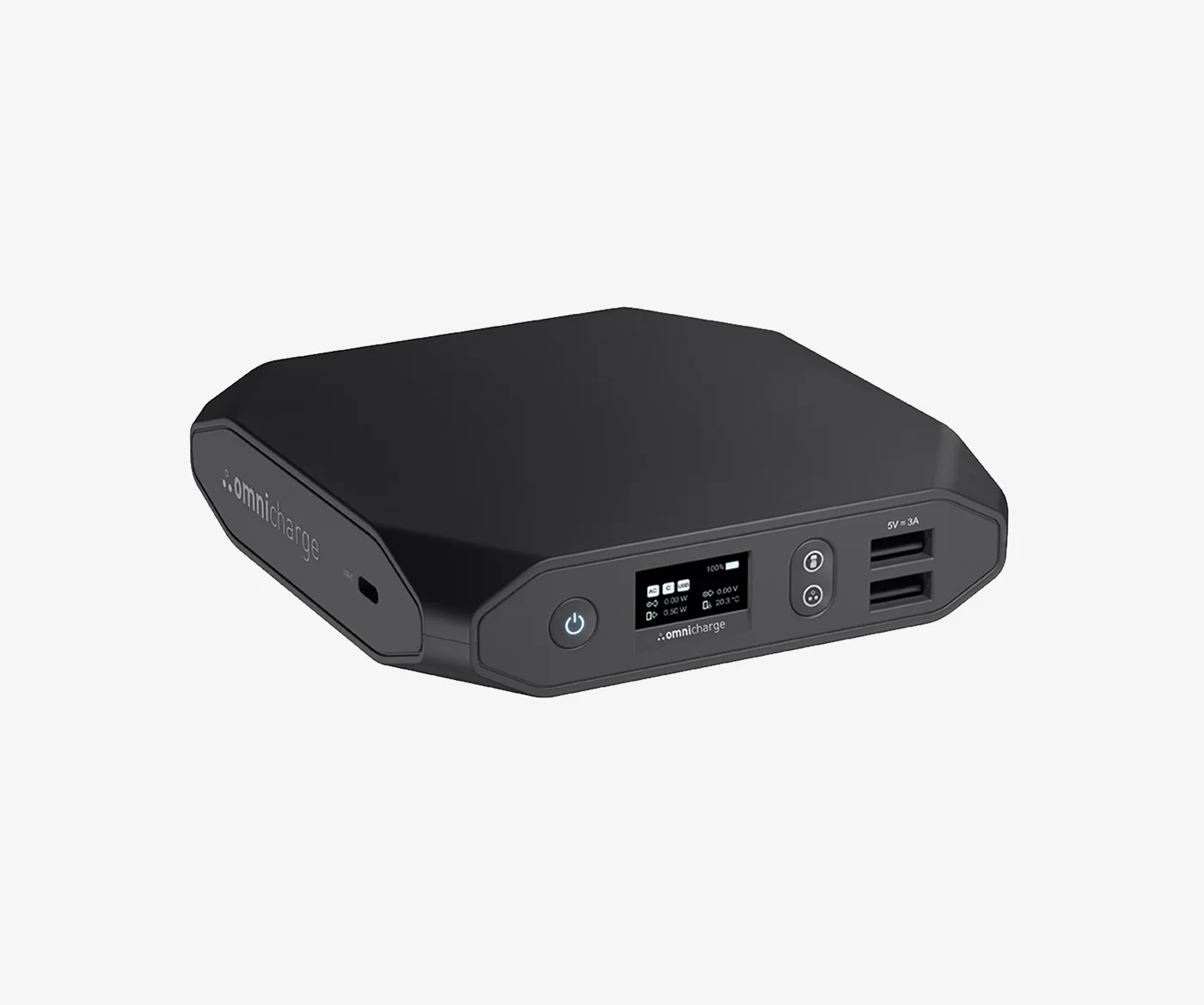
Source: https://intl.omnicharge.co/products/omni-20-usb-c
When looking for options on a portable lightweight, compact and versatile enough battery to supply decent power to all the mentioned components, it has become a tricky task to survey for the candidates in the current market. Firt, the battery needs to be able hold enough power and the appropriate connector interface to transfer power across the correct wire. Next, the battery should be compact enough to be placed on top of the rover which, honestly speaking, does not offer an ample real estate to plae whatever battery our heart desires. The form factor is also another factor to consider if we want to discuss the housing design as well. Last but not least, the battery weight should also be factored in as we already have around 500 g of payload coming from the sensors. In the end to my surprise, I found the battery that I have been using to power my laptop a suitable candidate. The Omni 20C+ checks all the boxes. It contains enough power and connection ports to supply the dev kit and the two sensors all on its own.
One last thing that I want to mention is that do not take whatever ordinary USB-C to DC barrel jack cable you have at hand to try to supply power from the power bank to your dev kit. The NVidia Jetson Orin Nano requires 5V and 1 ~ 3 A for normal operation and the wattagee will sit between 15 ~ 25 W. The power cable should be capable to hold up this amount of electricity across the wire. Therefore I ordered the FARSENSE USB C to DC Adapter,Barrel PD Trigger Cable(3.3ft) with 10 Connector Tips,USB to DC Power Cable to get the job done. Two features I like is that it offers a voltage switch to enable the user to choose which voltage the cable should handle, and that it offers switchable barrel heads so we don’t have to worry about the caliber of the Jetson Orin Nano when connecting it to the power bank.
Conclusion
In this article I went through the major components that I purchased and assembled to build my own robot. The mentioned sensors work in my planned scenarios but may not be the best choices for you. With this being said, there may be one or two sensors that I want to install in the future but the camera and the LiDAR are already enough to get the job done for now. I will update this article or start a new one in case I added a new sensor to my robot.
There will be a series of related articles discussing the actual hardware setup and algorithms so stay tuned.
References
[1] https://forums.developer.nvidia.com/t/comparison-between-raspberry-pi-and-jetson-nano/212121
[2] https://sci-hub.se/downloads/2020-08-02/c2/10.1109@HORA49412.2020.9152915.pdf
[3] https://www.cytron.io/tutorial/pi4b-vs-jetson
[4] https://developer.nvidia.com/embedded/jetson-tx2
[5] https://developer.nvidia.com/embedded/faq
[6] https://www.macnica.co.jp/en/business/semiconductor/articles/nvidia/133162/
[7] https://www.linkedin.com/pulse/jetson-vs-raspberry-pi-arduino-robotics-nathan-george
[8] https://www.researchgate.net/publication/375518943_Comparative_study_on_SBC_for_AI_and_DL_implementation
[9] https://kamami.pl/en/15552-jetson-development-kits
[10] https://datasheets.raspberrypi.com/rpi5/raspberry-pi-5-product-brief.pdf
[11] https://shop.unitree.com/products/unitree-4d-lidar-l1?srsltid=AfmBOopHkevbtbkG1ym8WQTt7Es-bhQycoXE1cgyjWOO_71ygBY1o2Tl
[12] https://static.generation-robots.com/media/stereolabs-zed-2i-datasheet.pdf